
How to write a SaaS changelog: template and examples
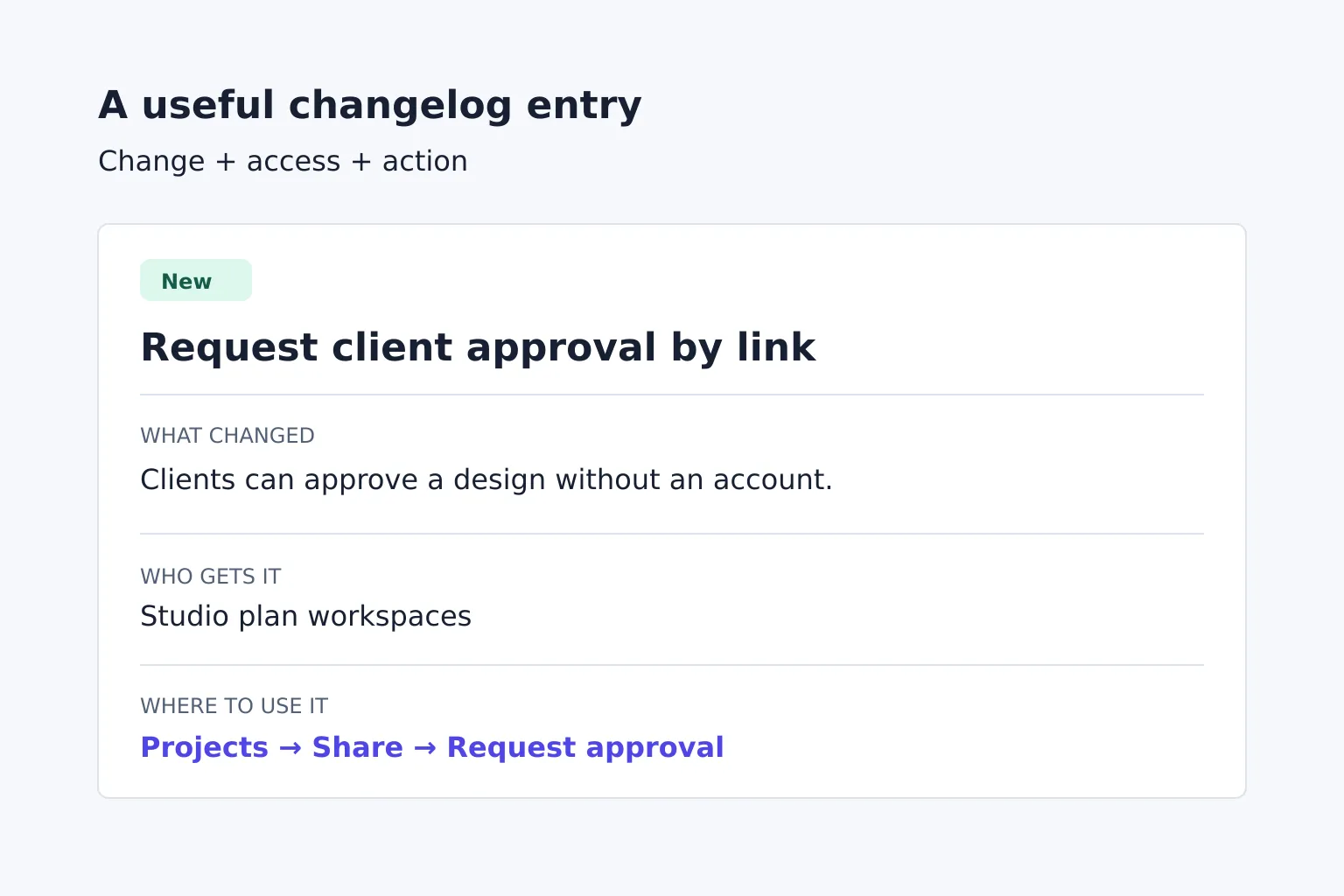
To write a SaaS changelog, turn each shipped change into a short entry that explains what users can do differently, who has access and where to find it. Date the release, describe fixes by the problem users saw, and put required actions ahead of optional improvements. Keep upcoming work separate so readers don't mistake a plan for a feature they can use today.
What should a SaaS changelog include?
A SaaS changelog is a dated record of notable product changes written for the people using the software. Release notes describe a particular release; the changelog keeps those updates together over time. Small teams can use one page for both.
Keep a Changelog recommends human-readable entries, grouped change types, visible release dates and the newest release first. It also distinguishes additions, changed behaviour, deprecations, removals, fixes and security changes. You can use customer-facing labels such as New or Improved, but don't hide a removal under a cheerful improvement heading.
Before writing, collect these facts for each change:
- Observed difference: what the user can do now, or what previously went wrong.
- Availability: eligible plans, roles, regions or beta access conditions.
- Location: the screen, setting or documentation that helps them use it.
- Required action: anything an existing user must change, and by when.
- Release date: when the described behaviour became available to the stated users.
A code merge doesn't establish availability. If deployment is staged, name the group that has access instead of saying everyone has it.
Turn engineering notes into user-facing entries
Start with the effect on a user's task, then explain enough of the mechanism to make it usable. A useful entry doesn't need to praise the engineering work behind it.
The examples below use fictional ProofShelf software, which lets design studios share projects with clients. Its Studio plan has just gained client approval links.
| Engineering note | Publishable meaning |
|---|---|
| Added approval-token endpoint | Clients can approve a shared design without creating an account. Name the plan and the sharing control. |
| Deduplicated comment submission retries | A reviewer comment is no longer posted twice when a submission is retried after a connection interruption. |
| Replaced legacy public sharing | Explain which links will stop working, when, and how the owner replaces them. |
If the only note is “improved performance,” ask what became faster and how the team checked it. Without evidence for a percentage or time saving, leave that number out. If you can't identify a user-visible change, keep the technical detail in internal release notes.
Copy this SaaS changelog template
Use this structure for one update. Remove lines that don't apply rather than filling them with “various improvements.”
[Release date] — [Specific change or release title]
Action required: [Who must do what, by which date and time zone. Omit if none.]
[New / Changed / Fixed / Deprecated / Removed]
[Describe the new behaviour or the problem that is now resolved.]
Available to: [Plans, roles or rollout group.]
Find it: [Screen path and, where helpful, a documentation link.]
Existing work: [What happens to saved data, current settings or old links, if affected.]
For a release with several changes, use a shared date heading and put each change under the appropriate label. Lead with a required migration or removal even if the new feature sounds more exciting.
New: client approval links
2026-11-17 — Request client approval by link
New: Clients can approve a shared design without creating a ProofShelf account. The project records the approval so your studio can see which design the client accepted.
Available to Studio plan workspaces. Open a project, choose Share, then Request approval. Existing sharing links are unchanged.
“Approval links are here” would leave readers guessing whether they need to upgrade or change their current projects. The access and location lines answer those questions directly.
Fixed: duplicate reviewer comments
2026-11-17 — Reviewer comments no longer appear twice after a retry
Fixed: When a comment submission is retried after a connection interruption, ProofShelf now saves a single comment. This fix is available on all plans and applies to new submissions. Existing duplicate comments haven't been removed; project owners can delete unwanted copies.
A fix should say whether it prevents a new problem, repairs past records or does both. “Duplicate comments fixed” doesn't establish what happened to comments already stored.
Deprecated: replace legacy public links before removal
2026-11-17 — Replace legacy public sharing links by 15 January
Action required: Owners of projects using legacy public links must create replacement links before 2027-01-15 at 12:00 UTC. Legacy links will stop opening projects at that time.
Deprecated: Legacy public sharing is being retired on all plans. Open each affected project, choose Share, create a replacement link and send it to the people who need access. Saved projects and comments will remain available to workspace members.
A deprecation announces a future removal; a removal entry records that it has happened. Keep the deadline, affected users and replacement steps together. If the change is disruptive, also notify affected users through the appropriate product or service channel rather than relying on them to discover the changelog.
Separate shipped updates from upcoming work
Keep a clearly labelled Unreleased section for changes still in preparation, as the Keep a Changelog convention suggests. For a public SaaS page, ensure that section doesn't imply that an unfinished capability is available or promise a date the team hasn't committed to.
Use these publication decisions:
- Available to all intended users: publish a dated shipped entry.
- Available to a restricted beta group: publish only with that access condition stated. The beta access guide helps explain the distinction between usable software, invite-only access and a waitlist.
- Merged but not deployed: retain the draft; don't announce it as shipped.
- Deployment rolled back: add a dated correction explaining current availability. Don't leave the original entry promising access that no longer exists.
Before publishing, ask someone with the stated plan and role to follow the instructions. Check the interface labels, help links and existing-data claims against the released behaviour. Publish when there's a meaningful change to communicate; a quiet week doesn't need a manufactured update.
The changelog is the lasting reference. If a release also needs an email, use the SaaS launch announcement email examples to write a focused invitation, then link back to the relevant entry for the full details.